How to Write ChatGPT Prompts That Actually Work in 2026: The Complete Guide
A senior prompt engineer's playbook for writing ChatGPT prompts that deliver real, useful, repeatable output — with frameworks, copy-paste templates, and the mistakes that quietly ruin 90% of conversations.

Table of contents
- Why most ChatGPT prompts quietly fail
- The R-T-C-F framework: the only prompt skeleton you really need
- The prompting principles that actually move the needle
- 1. Be specific about *bad* output, not just good output
- 2. Show, don't tell
- 3. Ask for the outline before the draft
- 4. Use the model to critique itself
- 5. Constrain length aggressively
- A real comparison: vague vs structured
- Step-by-step: building a great prompt from scratch
- Use cases: where ChatGPT prompts actually earn their keep
- Marketing and content
- Software development
- Research and analysis
- Personal productivity
- Common mistakes that quietly ruin ChatGPT prompts
- Pro tips from three years of daily prompting
- Quick reference: copy-paste prompt templates
- Further reading on prompt engineering
- The takeaway
Most people are still talking to ChatGPT in 2026 the same way they did in 2023 — typing a vague question, hoping for magic, then quietly closing the tab disappointed. The model has gotten ten times more capable. The average prompt has not. That gap is exactly where the value lives.
This is a working guide, not a list of "100 best prompts." After three years of writing prompts professionally — for marketing teams, software engineers, lawyers, founders, and a couple of newsrooms — the lesson is always the same: the quality of your output is almost entirely a function of the structure of your input. Not the cleverness. Not the secret words. The structure.
Below is the exact way I think about prompting now, the frameworks I actually use day-to-day, and the mistakes I see smart people make every single week. If you'd rather skip the theory and just generate something polished in one click, our free AI Prompt Generator will turn a single sentence into a structured, model-ready prompt that follows everything in this article.
Why most ChatGPT prompts quietly fail
The model is not lazy. It's agreeable. If you ask a vague question, it gives you the statistically average answer to that vague question — which by definition sounds like everyone else's blog post. Vague in, vague out.
Three things are usually missing from a failing prompt:
- Role — who is the model pretending to be? A junior copywriter and a senior brand strategist will write completely different headlines for the same product.
- Context — what does the model need to know about your situation that it can't guess? Your audience, your constraints, your tone, the thing you've already tried.
- Format — what should the answer literally look like? A table? Three bullet options? A 200-word email? An outline before the draft?
If you remember nothing else from this guide, remember those three. They fix more bad prompts than every "act as a..." trick on the internet combined.
Callout — the 10-second test. Before you hit send, re-read your prompt and ask: could a freelancer I just hired do useful work with only this? If the answer is no, your prompt is not finished yet. Add what's missing.
The R-T-C-F framework: the only prompt skeleton you really need
After trying dozens of acronyms (CRISPE, RACE, RISEN, CARE, and friends), I keep coming back to a deliberately boring four-part structure that works across GPT-5, Claude 4.5, Gemini 3 and basically every other frontier model.
R — Role. Tell the model who it is. Be specific. "You are a senior B2B SaaS copywriter who has shipped landing pages for Linear, Vercel and Notion" beats "act as a marketer" every time.
T — Task. State the single deliverable. One verb, one object. Write a 200-word LinkedIn post. Refactor this function. Summarize this document. If you have three tasks, run three prompts.
C — Context. Give the model everything it cannot guess: audience, brand voice, constraints, prior attempts, source material. This is where 80% of prompt quality is won or lost.
F — Format. Describe the shape of the output. Length, structure, headings, tone, what to include, what to exclude. "Return as a markdown table with columns: Pros, Cons, Verdict" eliminates 90% of follow-up corrections.
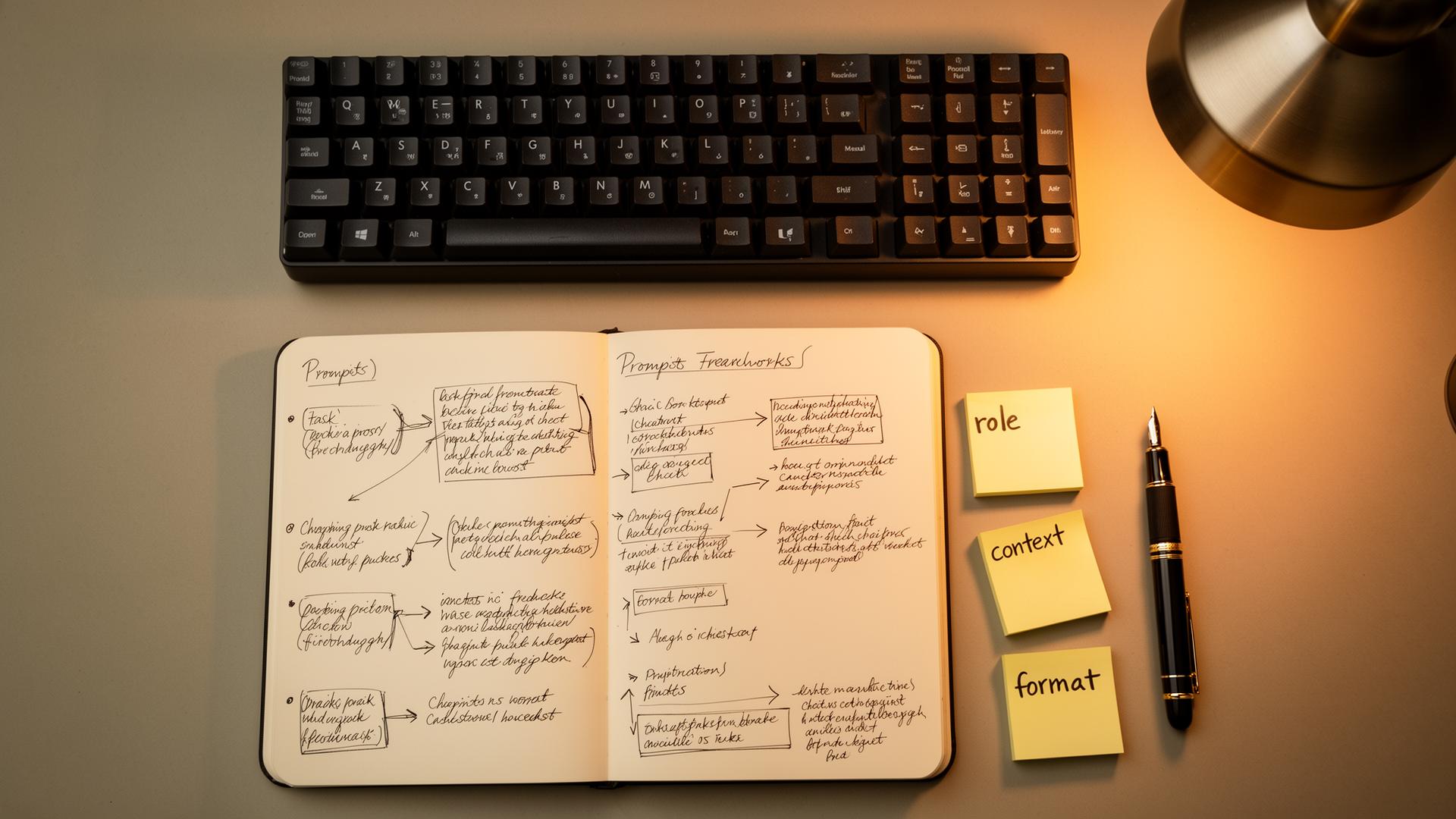
Here is the same skeleton applied to a real, common task — drafting a cold outreach email.
ROLE
You are a senior sales copywriter who specializes in cold outreach to
Series A and B SaaS founders. You have written campaigns with a 12%+
reply rate.

TASK
Write 3 distinct variations of a cold email opener (2–3 sentences each).

CONTEXT
- We sell an AI-powered customer support tool that auto-resolves 35% of
  tickets without a human.
- Audience: heads of CX at 50–300 person SaaS companies.
- Tone: direct, slightly contrarian, never salesy. No "hope you're well."
- We've tested generic openers — they get ignored.
- The recipient just posted on LinkedIn about ticket backlog.

FORMAT
- Number each variation 1, 2, 3.
- Under each, in italics, explain in one line why it should work.
- Max 60 words per opener.
Read that prompt and notice how little is left for the model to guess. That is the entire game.
The prompting principles that actually move the needle
Once the skeleton is in place, a handful of principles do most of the remaining lifting. None of them are clever. All of them work.
1. Be specific about *bad* output, not just good output
Telling the model what you don't want is dramatically underused. "Do not use the words unleash, leverage, journey, dive in, in today's fast-paced world. Do not start sentences with 'In conclusion.' Do not use em-dashes for emphasis." This single habit kills most of the "AI smell" in generated copy.
2. Show, don't tell
If you can paste one example of the style you want, do it. One real example is worth a thousand adjectives. This is the difference between "write in a witty, confident tone" and "write in the tone of this sample: [paste sample]."
3. Ask for the outline before the draft
For anything longer than ~300 words, run two prompts. First: "Give me a tight outline with H2s and one-line summaries of each section." Review it, edit it, then: "Now expand section 2 into a 400-word draft following the framework above." Quality jumps. Hallucinations drop. You stay in control.
4. Use the model to critique itself
End complex prompts with: "Before answering, list the 3 biggest weaknesses in your current draft, then rewrite to fix them." This single line turns mediocre output into something noticeably better, because the model now has explicit permission to be self-critical.
5. Constrain length aggressively
"As long as needed" is a trap. The model treats it as an invitation to pad. Tell it "no more than 120 words" or "exactly 5 bullet points" and you'll get tighter, sharper writing every time.
Pro tip. If you find yourself re-writing the same prompt twice a week, save it as a reusable template in a notes app and replace the variable parts with {{BRACKETS}}. Within a month you'll have a small personal library that compounds in value. This is exactly the workflow our AI Prompt Generator was built around.A real comparison: vague vs structured
Same task, same model, same day. The only thing that changed was the prompt.
| | Vague prompt | Structured prompt | |---|---|---| | What you typed | "Write a blog intro about remote work." | Full R-T-C-F prompt with role (senior HR writer), audience (Series B founders), tone (data-driven, not preachy), constraints (no clichés, 120 words max) and one sample paragraph for style. | | What you got back | A 400-word intro that opens with "In today's fast-paced world…" and reads like every other LinkedIn post from 2022. | A tight 118-word intro that opens with a specific stat, uses the brand voice, and is genuinely usable as a first draft. | | Edits required | Full rewrite. | Two small tweaks. | | Time saved | 0 min. | ~20 min per piece. |
The "secret" is not a secret. The structured prompt is 4–5× longer than the vague one. That 30 seconds of extra typing is the entire ROI of prompt engineering.
Step-by-step: building a great prompt from scratch
Here is the exact process I run, in order, every time the stakes matter.
- Write the task in one sentence. If you can't, the task isn't clear enough yet. Clarify it before you open ChatGPT.
- Decide the role. What kind of professional would you hire for this? Be specific about seniority and domain.
- Dump the context. Open a bullet list and brain-dump everything the model would need to know — audience, constraints, brand voice, what failed before, source material. Don't edit yet; just dump.
- Define the format. Length, structure, tone, what to include, what to avoid. Be picky here — it costs nothing.
- Add 1–2 examples of the output style you want (a "few-shot" example). Optional but transformational for tone-sensitive work.
- Add anti-examples. Words, phrases, and structures to avoid. This kills the "AI smell."
- Ask for a draft + a self-critique + a rewrite in the same prompt. Three steps, one round-trip.
- Iterate. Treat the first reply as a draft, not a deliverable. Reply with specific edits ("tighten paragraph 2, make the CTA less corporate, swap the headline for a question").
That's it. Eight steps, no magic. The first few times it feels slow; by the tenth time it's faster than writing from scratch.

Use cases: where ChatGPT prompts actually earn their keep
A short, honest tour of where good prompting compounds the most value, based on what I see across teams every week.
Marketing and content
- Repurposing. One long blog → 8 LinkedIn posts, 4 tweets, 1 newsletter, 1 YouTube script outline. Structured prompt + source text + format spec. Saves ~3 hours per asset.
- Headline testing. "Generate 20 headline variations using these 5 proven formulas: [list]. After each, score 1–10 for clarity and curiosity, and explain the score."
- Brand voice locking. Feed it 2–3 paragraphs of your best existing copy as the few-shot example. Tone consistency goes from frustrating to trivial.
Software development
- Code review. "Review the following function for: bugs, security issues, performance, readability. Format as a table with columns: Issue, Severity, Suggested fix. Do not rewrite the function yet."
- Test generation. "Write Vitest unit tests for the following module. Cover happy path, edge cases, and error cases. Use the AAA pattern."
- Refactor with constraints. "Refactor this for readability without changing public API. Explain each change in one line."
Research and analysis
- Document summarization. "Summarize the attached document in 3 layers: 1) 2-sentence TLDR, 2) 5 key takeaways, 3) 3 open questions a skeptical analyst would still ask." Multi-layer summaries beat single-paragraph ones every time.
- Comparison tables. "Compare options A, B and C across [criteria]. Be opinionated. End with a recommendation and the strongest counter-argument."
Personal productivity
- Decision framing. "I'm trying to decide between X and Y. Here is the full context: [...]. Don't recommend yet. First, ask me the 5 questions that would most change your recommendation."
- Inbox triage. Drop in a long email thread and ask for: TLDR, the actual ask, suggested 3-sentence reply, and the one thing you might be missing.
Common mistakes that quietly ruin ChatGPT prompts
After auditing hundreds of failed prompts, the same patterns keep showing up. If your output feels flat, you are almost certainly doing at least two of these.
- Asking for "the best" anything. "Write the best landing page headline" is meaningless. Best for whom, judged how? Replace with criteria.
- Mixing three tasks into one prompt. "Write a blog, then summarize it, then make 5 tweets" creates compromise output for all three. Split into three prompts.
- Skipping the audience. "Write about pricing" vs "Write about pricing for a non-technical CFO who is skeptical of SaaS" — completely different outputs.
- Treating reply #1 as final. The first reply is a draft. Always. Real value lives in turns 2–4 of the conversation, not turn 1.
- Pasting your raw thoughts and hoping. The model is not your therapist. Translate your thoughts into a structured prompt; you will get a structured answer back.
- Never telling it what to avoid. A negative constraint is often worth ten positive instructions.
- Forgetting the model has no memory between chats. New chat = new universe. Re-supply the critical context or save a reusable system prompt.
Warning. Do not paste confidential client data, full customer lists, source code under NDA, or anything you would not put in a public Google Doc into a consumer ChatGPT account. Use an enterprise plan, an API call with logging disabled, or redact aggressively. This one mistake has ended careers.
Pro tips from three years of daily prompting
A few things I wish I had known earlier. None of them are obvious from the outside.
- Long context windows changed the game. With million-token context, you can paste an entire codebase, a 90-page contract, or a year of email and ask precise questions about it. Use that. Stop summarizing things the model can now just read.
- The "system prompt" is your power user move. In custom GPTs, projects, or the API, the system prompt persists. Build one good system prompt per recurring workflow (your blog voice, your code review checklist, your sales tone) and you stop re-typing context forever.
- Ask the model to ask you. "Before answering, ask me up to 5 clarifying questions you need to give a great answer." This single trick eliminates most low-quality output.
- Temperature matters less than you think. 90% of "wrong" output is a prompt problem, not a temperature problem. Fix the prompt first.
- Voice mode is underrated for thinking. Talking out a problem with the model for 5 minutes and then asking it to summarize is a faster way to produce a great brief than typing one.
- Save your hits. Every time a prompt produces something great, copy it into a "winners" file. Within months, you have a personal library more valuable than any "1000 prompts" PDF on the internet.
Quick reference: copy-paste prompt templates
These are templates I actively use. Replace the {{BRACKETS}}, hit send, iterate once or twice.
1. Polished long-form draft
You are a senior {{ROLE, e.g. B2B content strategist}} writing for
{{AUDIENCE}}.

Task: Write a {{LENGTH}}-word article titled "{{TITLE}}".

Context:
- Goal of the piece: {{GOAL}}
- Voice/tone: {{TONE — paste 1 sample paragraph for style reference}}
- Must include: {{KEY POINTS}}
- Avoid: clichés, generic intros, the words "unleash / leverage / journey",
  and anything that sounds like a 2022 LinkedIn post.

Format:
- H2 sections, short paragraphs (2–4 sentences), one bulleted list,
  one pro tip callout.
- Before writing, output a tight outline and wait for my approval.
2. Decision support
You are a sharp, slightly contrarian strategy advisor.

I'm deciding between {{OPTION A}} and {{OPTION B}}.

Context: {{full situation, constraints, what's at stake}}.

Don't recommend yet. First:
1. Ask me the 5 questions whose answers would most change your recommendation.
2. After I answer, give a clear recommendation with the strongest
   counter-argument and the conditions under which you'd flip.
3. Email reply assistant
You are my chief of staff. I will paste an email thread.

Return:
1. TLDR of the thread in 2 sentences.
2. The actual ask, in plain language.
3. A 3–5 sentence reply in my voice (direct, warm, no fluff,
   no "hope you're well").
4. One thing I might be missing or should push back on.

Thread:
"""
{{PASTE THREAD}}
"""
4. Code reviewer
You are a staff engineer doing a strict but constructive code review.

Review the following {{LANGUAGE}} code for:
- correctness bugs
- security issues
- performance concerns
- readability and naming
- missing tests

Format:
- Table with columns: Category, Severity (1–5), Issue, Suggested fix.
- After the table, list the top 3 things to fix first.
- Do NOT rewrite the code yet. Wait for me to ask.

Code:
{{PASTE CODE}}
You can run any of these through our AI Prompt Generator to auto-fill the variables for a specific use case, or browse our other prompt playbooks for video, image, and viral content workflows.
Further reading on prompt engineering
A short, deliberately curated list of things actually worth your time.
- OpenAI's official prompt engineering guide — dry but technically precise, especially the section on delimiters and few-shot examples.
- Anthropic's prompt engineering documentation — the clearest public writing on chain-of-thought and role prompting.
- Our own deep-dives on cinematic AI video prompts and viral Midjourney prompts, which apply the same structured-prompting principles to visual models.
The takeaway
The reason ChatGPT feels magical for some people and mediocre for everyone else is not the subscription tier. It is the prompt. Spend an extra 30 seconds giving the model a clear role, the context it needs, and the shape of the answer you want — and you will get back work that's actually usable. Skip those 30 seconds and you'll keep getting the average answer to an average question.
Bookmark this guide, steal the templates, and the next time you open a new chat, run the R-T-C-F skeleton in your head before typing. The before-and-after is genuinely embarrassing. In the best possible way.
Ready to put it into practice? Generate your first structured prompt with our free AI Prompt Generator, or keep browsing the PromptMint Journal for more deep-dives.
Frequently asked questions
What is the best framework for writing ChatGPT prompts in 2026?+
The simplest framework that consistently works across GPT-5, Claude 4.5 and Gemini 3 is R-T-C-F: Role (who the model is pretending to be), Task (one clear deliverable), Context (everything the model can't guess about your situation), and Format (the literal shape of the output). Fancier acronyms exist, but R-T-C-F handles 95% of real-world prompts.
Why does ChatGPT give me generic, average-sounding answers?+
Because vague prompts get vague answers. If you don't specify the audience, tone, constraints and format, the model defaults to the statistically average response — which sounds like every other AI-generated blog post. Add a specific role, 2–3 lines of context, and a format spec, and the quality jumps immediately.
How long should a good ChatGPT prompt be?+
There's no fixed length, but most high-quality prompts for non-trivial work end up between 80 and 300 words. If your prompt is one sentence and your task is complex, that's usually the problem. The extra 30 seconds of typing pays back tenfold in fewer edits later.
Are 'act as a...' prompts still effective in 2026?+
They still help, but only if the role is specific. 'Act as a marketer' is weak. 'You are a senior B2B SaaS copywriter who has shipped landing pages for Linear and Notion' is strong. Specificity is the entire trick.
Should I use ChatGPT, Claude or Gemini for prompting?+
All three frontier models in 2026 respond well to the same structured prompting principles. ChatGPT (GPT-5) is strongest for general writing and tool use, Claude 4.5 is excellent for long-context reasoning and code, Gemini 3 is strong for multimodal and search-grounded tasks. Pick based on the task, not the brand — the prompt skeleton is identical.
Is it safe to paste confidential information into ChatGPT?+
Not into a consumer account. Use an enterprise plan with data-retention disabled, the API with logging off, or redact sensitive details before pasting. Treat any prompt as if it could end up in a training set unless you've explicitly verified otherwise with your provider.